iOS 27 Changed the Rules for App Design. And It’s Not Just About the Duo.
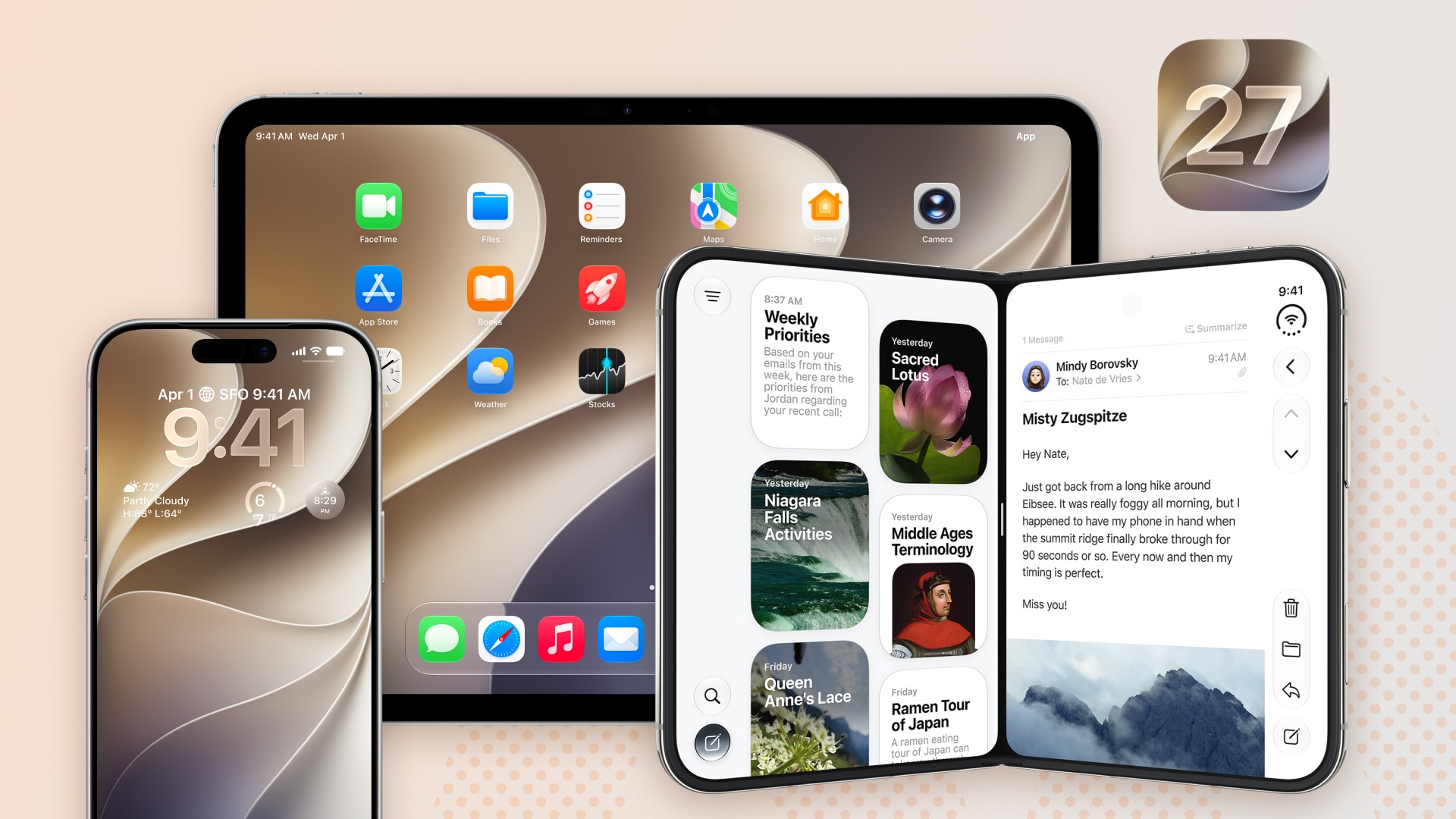
The iPad Test
Before you read another word about the foldable iPhone Duo, go open your app on an iPad and rotate it.
Does the layout hold up? Does it reflow, or does it stretch and look like a phone screen someone blew up too far?
That’s the test. The Duo may be getting the headlines, but the question it asks developers isn’t new: can your app adapt when the screen changes?
This Isn’t Really About the Fold
Apple’s iPhone Duo, its first foldable phone, was the headline of Apple’s fall 2026 keynote. It ships October 23 starting at $1,999, with a 5.4-inch outer screen and a 7.6-inch inner display when unfolded.
What really matters right now is the fact that the same resizability work Apple built into iOS 27 for the Duo’s inner screen also governs how apps behave on iPad and through iPhone Mirroring on a Mac. Think of the Duo less as the trigger and more as the headline example. The underlying change spans three device categories at once, whether or not a single one of your users ever buys a Duo.
And this isn’t a one-time adjustment. Apple has reshaped how apps handle screen size and multi-display behavior before, and will again.
Designing for that kind of adaptability isn’t unique to foldables. It’s the same challenge teams face whenever an app needs to perform consistently across screen sizes, orientations, devices, and accessibility settings.
We encountered exactly that challenge while designing the TAK Product Center for military and first-responder users. The system needed to scale across different viewport sizes, device types, orientations, and zoom levels, and adaptability was far more than a UX nicety. It’s the same question the Duo is raising here, just in a higher-stakes setting.
Will My App Still Work on the iPhone Duo?
To be candid, if your app isn’t updated for the Duo’s inner screen specifically, it will still run. Nothing breaks. It sits centered on the screen with empty space around it, similar to how an unoptimized iPhone app has always looked when opened on an iPad.
Nothing crashes, and no functionality is lost. Call it cosmetic, not broken. The app just looks a step behind.
But it is noticeable, and the comparison point is now set high. On stage, Apple specifically called out Netflix, Zoom, and Slack as apps already built to fill and use the Duo’s inner screen. Those are the apps yours will get compared to (fairly or not) the moment a user opens both side by side.
Is Your App at Risk?
The iPad test at the top of this post is still the single best predictor of how your app will fare. But a few more specific signals can help you gauge where you stand.
If your app already looks and works well on an iPad, handles rotation cleanly, went through a significant rebuild in the last year, or was built with SwiftUI, you’re likely in good shape. It’s still worth a check, just a lower-priority one.
On the other hand, if your app is locked to portrait orientation, looks stretched or awkward when opened on an iPad, doesn’t support iPad at all, or hasn’t been substantially touched in a few years, that’s a stronger sign it’s time for a closer look.
The short version holds up either way: open your app on an iPad, rotate it, and see what happens. If it holds up there, it will likely hold up on the Duo too.
The Real Timeline
The iPhone Duo ships October 23. The tooling to test against it is already here; Apple released Xcode 27.1 beta, with the Duo’s SDKs and simulator, on September 18. The goal is to find any rough spots before customers do, and every day before launch is a chance to do that.
What We Can Do About It
If Mindgrub already maintains your app, we can start with a free side-by-side look at how it renders today versus how it could look updated.
From there, our iOS engineering team offers a code audit, starting with a quick pass over the patterns most likely to break on the Duo’s screen, and scaling up to a full review with effort estimates if you want to move on fixes. Pricing depends on the size and complexity of your app, so reach out and we’ll scope it with you directly.
If we don’t currently maintain your app, the audit itself isn’t something we can offer without your source code, but the self-assessment above is something you can hand directly to whoever does maintain it. And if you don’t have a team, or want a second opinion, that’s exactly the kind of conversation we’re happy to have.
And if this ends up being more than a one-time fix (and given how often Apple reshapes this stuff, it very well might be) it’s worth thinking past the audit itself. Our Support & Maintenance Services team already handles exactly this kind of ongoing care for clients: ongoing application upkeep, proactive monitoring, and staying ahead of the OS changes that could catch you off guard again next year. The audit can be a one-time engagement, or the start of that longer relationship — whichever makes sense for where you are.
Run the iPad test on your app. If you’re not sure what you’re seeing, or you already know something needs work, we’re happy to talk it through with you and your team.